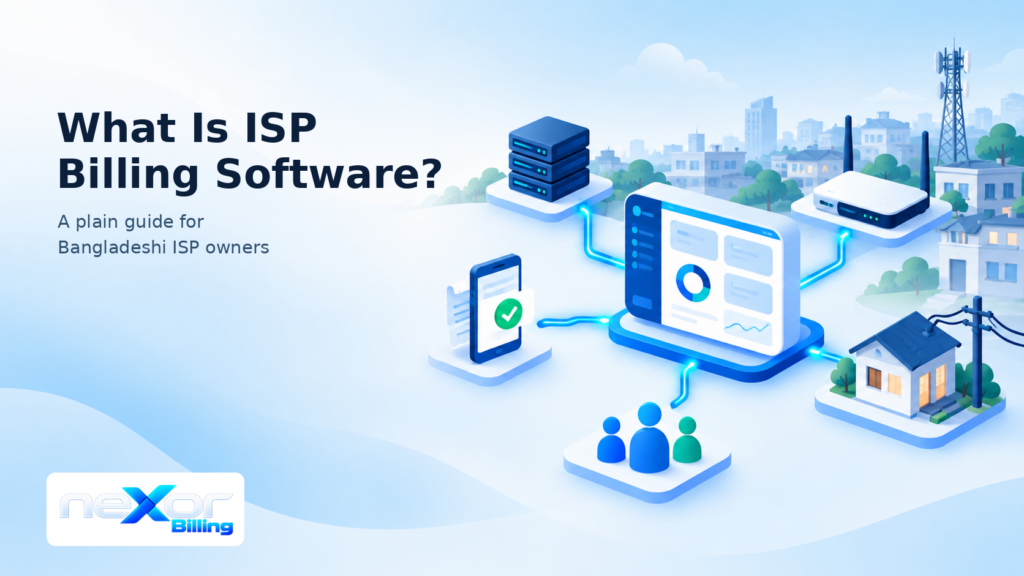
Do you still match bKash payments by hand at the end of every month? ISP billing software is the system that replaces that routine. It keeps every subscriber in one place, bills them on time, records each payment, and opens or closes their connection to match. This guide explains what it does, how it differs from Excel, and when your ISP is ready for it.
TLDR
- ISP billing software keeps subscribers, packages, invoices, payments and expiry dates in one system.
- It also tells your router who may connect, so access follows payment status.
- Excel cannot open or close a connection, and accounting software does not know who is online.
- You need it when payments, zones or Hotspot vouchers grow past what a notebook can hold.
What Does ISP Billing Software Do?
ISP billing software runs the money side of an internet business and links it to the network. In practice, it does five jobs.
- Keeps every subscriber record in one place
- Bills each package on schedule and warns before expiry
- Records payments and matches them to the right customer
- Controls who can connect, based on account status
- Reports collections, dues and earnings
The first, second, third and fifth jobs come next. The fourth gets its own section, because it is the part that makes billing software different from a spreadsheet.
Keep Every Subscriber Record in One Place
First, a subscriber record holds the name, phone, package, area, balance, expiry date and history of one customer. Home, corporate and Hotspot customers can sit in one subscriber management system, while each type follows its own billing rules. As a result, your team stops searching three notebooks to answer one phone call.
Bill Each Package on Schedule
Each package carries a price, a speed, a validity period and a billing cycle. The software creates the invoice when the cycle ends. It applies any grace days you allow. If nobody pays, it marks the customer as expired. Our guide to active, grace and expired status shows how this works step by step. It can also send an SMS before the expiry date, so customers pay before they lose access. You can read more about automated billing on the feature page.
Record Payments and Match Them to the Right Customer
Money arrives by cash, bKash, Nagad, card or a zone partner’s wallet. Then the software records each payment against one customer and updates the balance and the expiry date. Without this step, one wrong entry can cut off a customer who already paid. For a deeper look, read the bKash and Nagad collections playbook for ISP teams.
See Collections, Dues and Earnings
So reports answer the questions an owner asks every week. How much came in today, which customers owe money, and which zone collected what. Exports to Excel or PDF also let you share the numbers with partners and your accountant. The reports and accounting page shows what this looks like.
How Does ISP Billing Software Connect to MikroTik and RADIUS?
It passes each customer’s status to your router, so the router allows or blocks the connection. RADIUS is a service that checks a username and password and tells the router what to do. Many PPPoE and Hotspot networks use it.
The flow has four steps.
- The customer pays, or the expiry date passes.
- The billing software updates the customer’s status.
- The RADIUS service reads that status.
- The MikroTik router allows or refuses the next PPPoE or Hotspot login.
Alternatively, some systems skip RADIUS and talk to the router directly through its API. In fact, both approaches work. What matters is that the billing system and the router never disagree about who has paid.
neXor, for example, syncs with FreeRADIUS and MikroTik RouterOS. It manages PPP secrets and Hotspot users, and it shows live sessions in the same panel. See the RADIUS and MikroTik page, or follow the setup guide in the docs.
How Is ISP Billing Software Different From Excel?
Excel records what happened, but it cannot act on it. The table below shows where the gap appears.
| Task | Excel or a notebook | ISP billing software |
|---|---|---|
| Customer record | One row per customer, easy to break | One record with package, balance, expiry and history |
| Monthly invoice | Made by hand | Created when the cycle ends |
| Mobile money payments | Matched by eye | Recorded against the right customer |
| Expiry | Someone must remember | Status changes by itself |
| Router access | A technician changes it | Follows the account status |
| Zone partners | Separate sheets to merge | Scoped panels and wallets |
| Reports | Built again each month | Ready when you open them |
Excel still helps with one-off analysis. However, it cannot run your billing cycle.
How Is ISP Billing Software Different From Accounting Software?
Accounting software records the financial results, while ISP billing software runs the subscriber side that creates those results. Billing software knows each customer’s package, expiry date and connection status. Accounting tools, however, do not. Some billing systems also include ledgers and profit and loss reports, so both sets of numbers sit side by side. The full accounting module is one example.
What Do Bangladeshi ISPs Need From Billing Software?
Four local needs decide whether a billing tool fits a Bangladeshi ISP.
- Mobile money payments through bKash and Nagad
- Zone partners and resellers with their own money
- Prepaid Hotspot vouchers beside monthly PPPoE
- SMS in Bangla
Collect Through bKash and Nagad Without Matching by Hand
Most customers pay by mobile money, so every payment must reach the right account without a person copying numbers. There are two common routes. A payment gateway posts the payment through an API, and an SMS reader app posts it from the merchant phone. Each route has conditions. The gateway route needs your own merchant account. The SMS route needs the phone and app to stay running. Ask every vendor about both before you buy. Our payment setup guide shows what this looks like in practice.
Give Zone Partners and Resellers Their Own Panels
Many Bangladeshi ISPs sell through zone partners and sub-zone resellers. So each partner should see only their own customers, wallet and commission. In neXor, a partner tops up a prepaid wallet first, and each renewal takes money from it. The company panel then shows every zone’s collections together. Learn more about zone and sub-zone control, or read how to delegate without losing control.
Sell Hotspot Vouchers Beside Monthly PPPoE
Some ISPs also sell prepaid Wi-Fi cards, so the system must handle vouchers too. The same system should create vouchers in bulk and show how many are sold. Guests then log in with a mobile PIN or card username. That way, PPPoE and Hotspot customers share one panel instead of two tools. See the Hotspot Wi-Fi page, or read how to sell prepaid vouchers from the same panel as PPPoE.
Send Reminders in Bangla
A reminder only works if the customer can read it. So look for Bangla templates and a choice of local SMS gateways. Also check whether you can switch each message type on or off, such as welcome, payment, expiry and due messages. The SMS notifications page lists the supported events and gateways.
How Do You Know It Is Time to Switch?
You are ready when your notebook costs more time than software would. Watch for these signs.
- Payments sit unmatched for days
- A paying customer loses access by mistake
- Zone partners dispute their numbers
- Expiry dates live in one person’s head
- You cannot see today’s collections without asking someone
- Adding a second person to billing creates new errors
Two or three of these signs are enough to start comparing tools.
FAQ
Do I need RADIUS to use ISP billing software?
Not always. Some systems control access through the router’s API instead. However, many ISPs choose RADIUS because it handles PPPoE and Hotspot logins in one place. It also keeps working as the network grows. Ask the vendor which method they use, and test it on one router first.
Can MikroTik User Manager replace ISP billing software?
For a single router or a small prepaid setup, it may be enough. A reply on the MikroTik community forum calls User Manager limited. It suits hotel or prepaid billing better than monthly postpaid billing. Once you run several routers, zones or monthly invoices, you need real billing software.
Is cloud-hosted billing software safe for my ISP?
It can be, but check three things. Ask where your data is stored, how often it is backed up, and who can see each zone’s numbers. A hosted system also saves you from running a server yourself.
How much does ISP billing software cost?
Vendors price it per subscriber, as a flat monthly fee, or as a one-time license. neXor charges per active or grace-status subscriber, from ৳1.5 to ৳2 a month depending on the plan. It confirms the final plan during onboarding. The pricing section lists the limits for each plan.
Is billing software the same as ISP management software?
Not quite. Billing software handles subscribers, invoices and payments. A full management suite adds network tools such as OLT and ONU records, fiber maps and monitoring. Many Bangladeshi products combine both, so check which parts you need. For example, see how FTTH operations sit beside billing.
Can I move my existing customer list into new software?
Yes, most systems import customers from a spreadsheet. Check that packages, balances and expiry dates come across too. Then run both systems side by side for one billing cycle. Our customer guide explains import step by step.
What to Do Next
Write down how many hours your team spent matching payments last month. If that number worries you, it is time to compare ISP billing software.
[Add link to the buyer’s guide here]. When you are ready, ask each vendor for a demo with your own subscriber data. You can also open the neXor public demo or request a walkthrough.
সংক্ষেপে
- আইএসপি বিলিং সফটওয়্যার এক জায়গায় সব সাবস্ক্রাইবার, প্যাকেজ, ইনভয়েস, পেমেন্ট আর মেয়াদ রাখে।
- এটি রাউটারকে জানায় কে কানেক্ট করতে পারবে, তাই পেমেন্টের সাথে অ্যাক্সেস মিলে চলে।
- এক্সেল সংযোগ চালু বা বন্ধ করতে পারে না, আর অ্যাকাউন্টিং সফটওয়্যার জানে না কে অনলাইনে আছে।
- বিকাশ ও নগদ পেমেন্ট, জোন পার্টনার, হটস্পট ভাউচার আর বাংলা এসএমএস, এই চারটি বিষয় দেখে সফটওয়্যার বাছুন।